 Live phone call translation
 Choose languages
 Call a supported number
 They answer normally


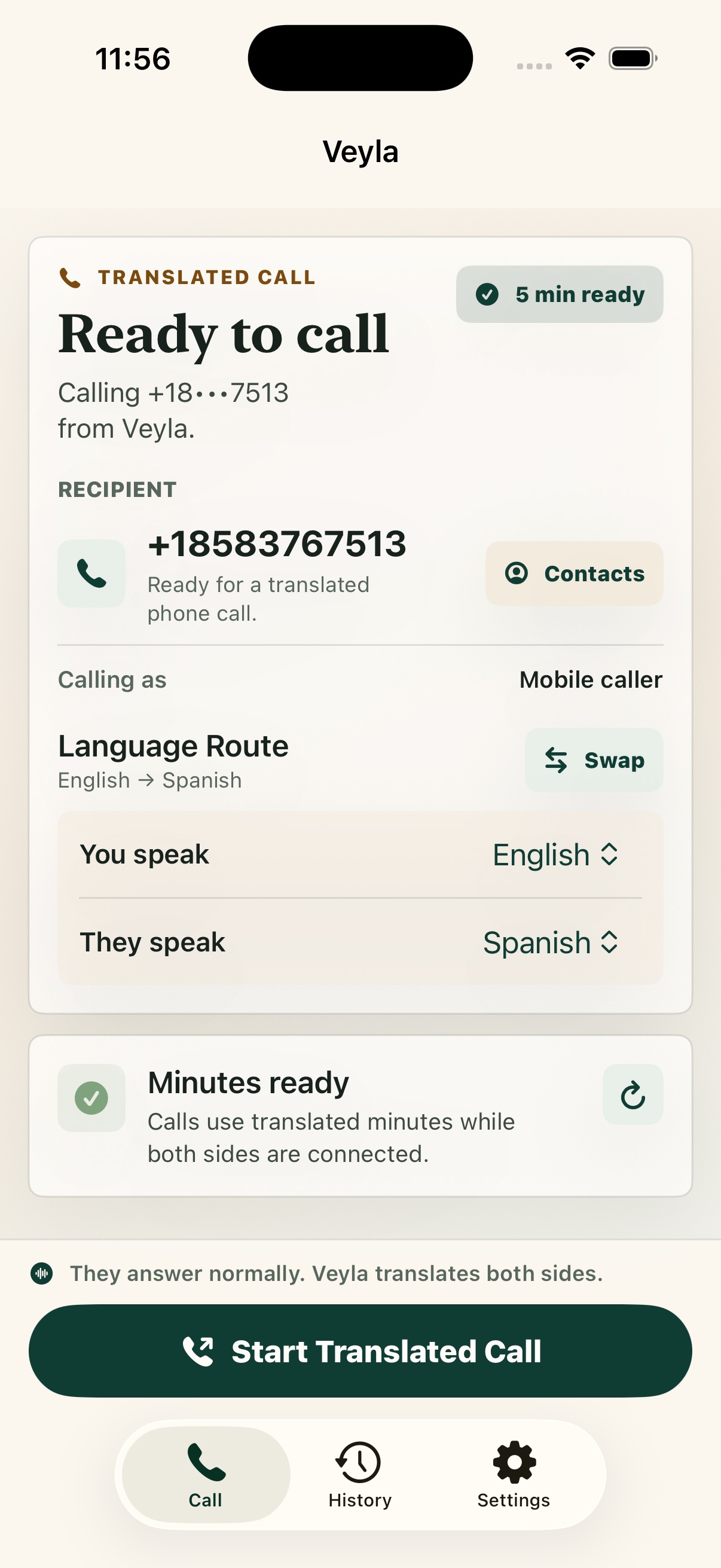
Call setup
Start from the app
Choose the route, confirm the number, and start a translated call.
Veyla Voice translates supported live phone calls with dubbed audio and a bilingual transcript, so you can call people, services, and businesses across supported languages.
AI translations can vary. Veyla is for everyday calls, not emergency calls or certified interpretation.
Reservations, appointments, family calls, support desks, suppliers, landlords, clinics, and local services still depend on live conversation.
Text translators are useful after the call. Veyla is built for the call itself.
Choose the route, confirm the number, and start a translated call.
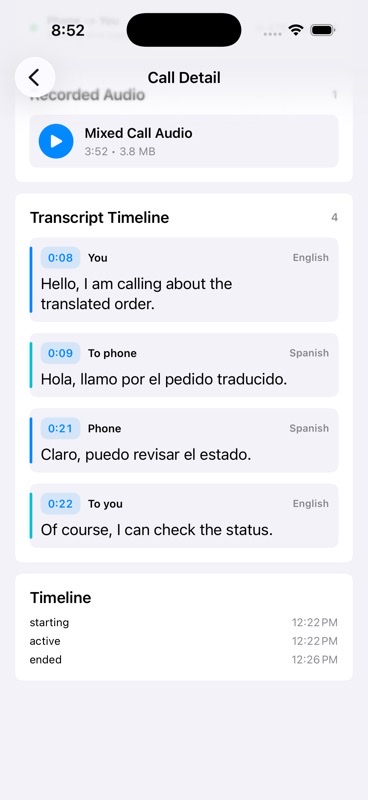
Use the call detail view to check the transcript and timeline.
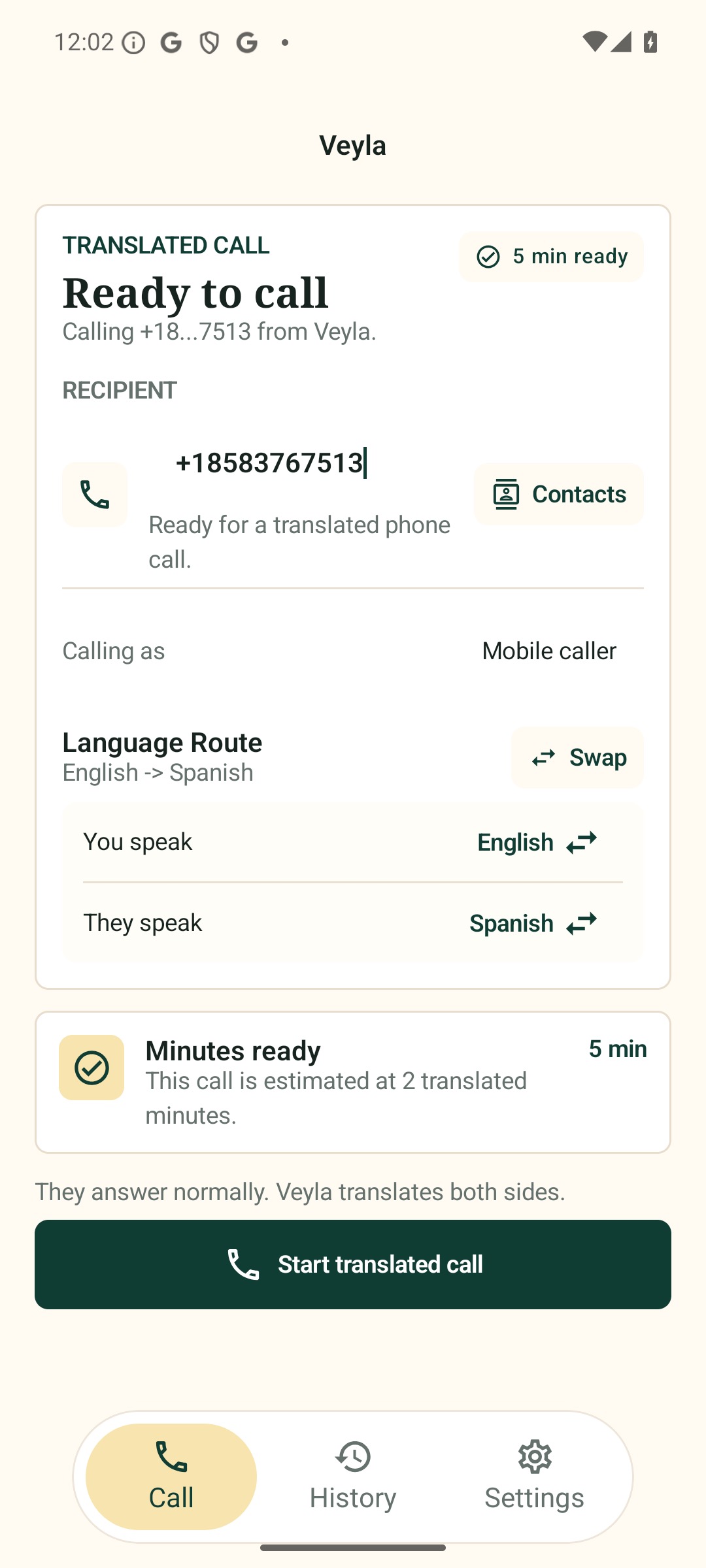
Dial the recipient, choose the route, and start from the matching Android screen.
Pick the language you speak and the language the other person speaks.
Call a supported mobile number, landline, business, or service desk from the app.
Veyla translates each side of the conversation so both people can keep talking.
Follow the transcript to check names, dates, addresses, numbers, and next steps.
Translated audio keeps the call moving. The transcript gives you a second way to follow along when details matter.
Read both sides of the conversation as the call moves.
Hear supported translated audio while the other person hears their side.
Take a moment, switch languages, mute, or end the call anytime.
AI translations can vary. Confirm important details during the call.
Call loved ones and keep meaningful conversations, no matter the distance.
Call hotels, transportation providers, restaurants, and local services.
Connect with suppliers, customers, and partners when the phone is fastest.
Manage routine scheduling and admin details. Use a qualified interpreter for high-stakes decisions.
AI translation is powerful, but it can make mistakes. Veyla is designed for everyday communication, not emergencies or certified interpretation.
Check coverage, pricing, language support, and data handling before you rely on any call translator.
For supported phone calls, the person you call can answer a normal call. They do not need to install Veyla. Availability depends on destination country, carrier routing, and supported languages.
Veyla is designed for supported regular phone numbers, including mobile phones and landlines where available. Country and carrier availability will be listed before public launch.
Supported languages are not published yet. Join launch updates for the first language list, availability details, and tested language pairs.
Android early access is planned. Join updates to get availability details when the first Android release opens.
Final transcript and recording controls, storage, retention, and deletion details will be published before public launch.
No. Veyla is not for emergency calls. Use local emergency services directly.
Veyla can help with routine scheduling or front-desk details, but it is not a certified interpreter. For medical, legal, financial, or safety-critical decisions, use a qualified professional when required.
Join the list for iPhone launch access, Android early access, supported languages, pricing, and country availability.
We will send store links and availability details as each platform opens.
Choose the platform updates you want and we will send launch details when access opens.
Get Veyla Voice launch access for iPhone or join Android early access.
Availability, pricing, and supported languages vary by launch market.


